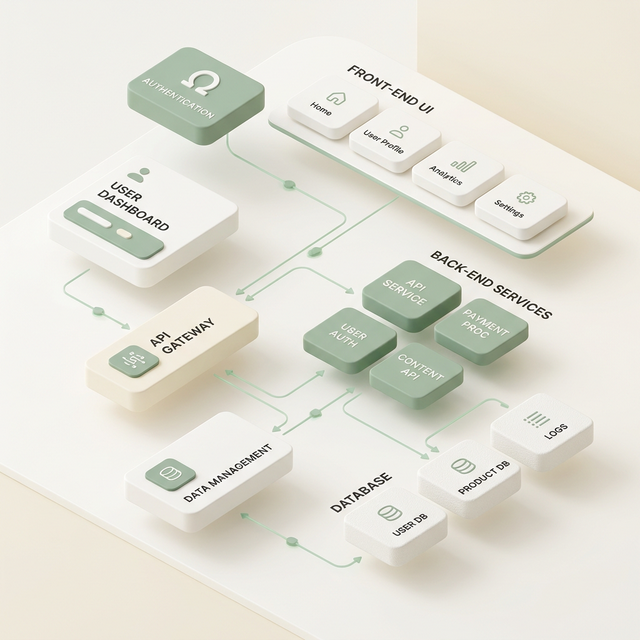
An AI-ready design system is one that machines can parse, not just people. It means your components carry semantic meaning in code, your tokens match what ships to production, your documentation can be ingested by a language model, and your critical flows can be completed by software acting on a customer's behalf. If your design system only makes sense to a human looking at a screen, it is not ready.
That last part is the test most systems fail. Not because teams did sloppy work, but because until recently, no one needed to pass it.
Who consumes your design system now?
Your design system used to have one audience: the people building your product. It now has three: human designers and engineers, AI tools that generate design and code, and autonomous agents acting on behalf of your customers. Most design systems were built for the first audience and are invisible to the third.
The escalation happened in stages. First, design systems served designers and engineers. Consistency was the goal, and a Figma library plus a component package got you there.
Then AI-assisted development arrived, and your system became context for code generators. An LLM writing against a well-documented, consistently named component library produces usable output. An LLM guessing at an undocumented one produces plausible-looking garbage. Your design system became training material whether you intended it or not.
The third stage is the one most leaders have not priced in: agents that act for your customers. A person asks their assistant to renew a policy, compare two plans, or book the appointment, and software does the browsing. It reads your DOM, not your visual design. It follows your labels, not your layout. It never sees your carefully tuned hover state.
In agent-mediated commerce, software evaluates and transacts with your product. An interface readable only by humans is invisible to the next buyer.
Your design system is now the machine-facing surface of your business, and most companies have never once looked at their product the way an agent does.
I have. I run a stack of agents daily that research, write, schedule, and transact across email, Slack, calendars, and databases on my behalf. Watching where they succeed and where they silently fail is the most useful design research I have done in years.
What breaks first when an agent uses your product?
Agents fail on the gap between what a page looks like and what it says in code. The most common failures are unlabeled controls, buttons built from generic divs, state changes with no text signal, and content that only exists after JavaScript runs. Every one of these is a design system decision.
Here is what I see agents actually stumble on:
Unlabeled interactive elements. An icon button with no accessible name is a mystery box. A human infers "that gear means settings." An agent reads an empty button tag and moves on, or worse, guesses.
Div-soup controls. A clickable div styled to look like a button is not a button to a machine. Agents scanning for interactive elements skip it. If your design system's Button component does not render a real button or a proper role, agents cannot find your primary actions.
State changes with no text signal. The form saved, the item was added, the price updated. If the only evidence is a color shift or a subtle animation, the agent does not know anything happened. It retries, or it reports failure to the customer on a transaction that actually succeeded. Both outcomes cost you.
JavaScript-only content. Plenty of agents and AI crawlers do not execute your bundle. If your pricing, availability, or product details only exist after client-side rendering, they do not exist for a meaningful share of machine visitors.
Missing structured data. A human sees "$49/month" in a big font and understands. Without schema markup, an agent sees an unanchored string. When an assistant is comparing you against a competitor with clean JSON-LD, the competitor is legible and you are a guess.
Naming drift between design and code. Your tokens say primary-action, your DOM says btn-blue-2, your docs say "CTA Button." Humans bridge that gap without noticing. Machines take each name literally, and every inconsistency is a chance to pick the wrong element.
Silent form failures. Validation that fails with a red outline and nothing else strands an agent completely. It submitted, got the same page back, and has no textual explanation of what went wrong.
None of these show up in a design review. All of them show up in an agent transcript.
What does a 10-point AI-readiness audit cover?
An AI-readiness audit checks whether machines can find, understand, and operate your product through the system that builds it. Here are the ten points I check, in the order I check them.
- Semantic HTML and ARIA coverage. Run an automated accessibility scan, then hand-check your five most-used components. Real buttons, labeled inputs, named landmarks. Accessibility debt and agent-blindness are the same debt.
- Token-to-code parity. Diff your design tokens against what actually ships in production CSS. Every divergence is a place where your documented system lies to any machine reading it.
- A machine-readable component inventory. Can you produce a single structured file (JSON, or a props table an LLM can parse) listing every component, its props, and its intended use? If the answer lives across Figma, Storybook, and tribal knowledge, the answer is no.
- Structured data on money pages. View source on your pricing, product, and service pages and look for JSON-LD. Product, Offer, Service, FAQ schema. This is how agents anchor facts about what you sell and what it costs.
- An llms.txt file. A plain-text map of your site and documentation, written for language models. It takes an afternoon and it is the cheapest legibility win available. Check whether yours exists. It probably does not.
- Content without JavaScript. Disable JavaScript and load your key pages. Whatever disappears is invisible to non-rendering crawlers and to a chunk of the agents evaluating you.
- Agent-testable critical flows. Point a browser agent at your signup, checkout, or booking flow and watch the transcript. Where it hesitates, loops, or fails is your priority list, in order.
- Consistent naming from token to DOM. Trace one component, say Button, from design token to Figma layer to code prop to rendered class. The names should agree. Where they drift, machines mislearn your system.
- Error states expressed in text. Trigger your form validation and confirm every error produces a text message associated with its field, not just a visual cue. If a screen reader would announce it, an agent can act on it.
- Documentation an LLM can ingest. Paste your component docs into a language model and ask it to build a page with your system. The quality of what comes back is a direct measure of how well every AI tool that touches your codebase will behave.
Score yourself honestly. Most enterprise systems I look at pass three or four.
Should you fix this in-house or bring someone in?
Most teams can fix the first six points themselves within a quarter, because they are engineering hygiene with clear definitions of done. The harder problem is prioritization: knowing which failures actually block agents, in which flows, in what order. That judgment comes from watching agents operate, and it is where outside help pays for itself.
I will be straight about this. Semantic HTML, token parity, structured data, llms.txt, JavaScript fallbacks: your team does not need me for any of it. Hand this checklist to a strong front-end lead and the mechanical work will get done.
What in-house teams reliably lack is not skill, it is exposure. Very few people have watched enough agent sessions to know the difference between a violation that looks bad in an audit tool and one that actually kills a transaction. Without that, teams either fix everything (a quarter becomes a year) or fix what is easiest (the score improves, the agent still fails at checkout).
An outside audit is worth it when the stakes justify precision: revenue flows through the product, the design system serves many teams, or you are about to invest in a rebuild and want to aim it correctly. It is not worth it for a marketing site you could fix in a sprint. Judgment is the product. Deployment is yours either way.
Frequently asked questions
Who can audit our design system for AI readiness?
Look for someone who combines design system depth with daily, hands-on agent operation, because the failure modes only reveal themselves when you watch agents work. My team and I do this for mid-size startups through enterprises: a structured audit against the ten points above, run with real browser agents on your real flows, delivered as a prioritized fix list your team executes.
How long does an AI-readiness audit take?
Typically a few weeks, depending on the size of the system. The output is a scored assessment and a sequenced remediation plan. Most of the fixes then land in-house over a quarter.
Is AI readiness just accessibility with a new name?
They overlap heavily but are not identical. Accessibility work covers roughly half the checklist, which is one more reason it was never optional. AI readiness adds machine-facing concerns accessibility never covered: structured data, llms.txt, ingestible documentation, and agent-testable flows.
The buyer that reads your code
Agents are already evaluating products and completing transactions for real customers. I know because I run them every day, and I watch which products they can use and which ones they abandon. Your design system decides which group you are in.
If revenue flows through your product and you want to know whether agents can complete a purchase, an audit answers that in a few weeks.
Book Advisory Intro